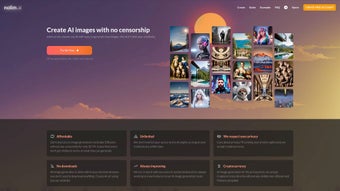

Download Nolim – Free AI Art Generator with Privacy-Focused, Web-Based Image Creation
Discover Nolim, the next-generation AI art generator that transforms your ideas into stunning, high-resolution visuals with just a few clicks. Built on the powerful Stable Diffusion framework, Nolim delivers exceptional image quality while prioritizing user privacy and creative freedom. Unlike traditional tools that require software downloads or compromise your data, Nolim operates entirely in your browser—no installation, no hidden tracking, and no need to worry about file storage.
Whether you're a digital artist, content creator, or just exploring AI-powered creativity, Nolim offers an intuitive, secure, and uncensored experience. With unlimited AI image generation, flexible subscription plans, and support for cryptocurrency payments, Nolim empowers users to unleash their imagination without limitations. It's the ultimate free-to-trial AI tool for anyone looking to generate unique, realistic artwork—fast, safe, and entirely under your control.
Why Nolim Stands Out: Key Features That Redefine AI Art Creation
Nolim isn’t just another AI image generator—it’s a complete creative ecosystem designed for modern creators. At its core, Nolim leverages Stable Diffusion, one of the most advanced open-source AI models, to produce highly detailed and realistic images. This foundation ensures that every output is not only visually impressive but also consistent with real-world textures, lighting, and proportions.
What sets Nolim apart is its browser-based architecture. You don’t need to download any software or install drivers. Simply open your web browser, visit the Nolim website, and start creating immediately.
This makes it ideal for users on Windows, Mac, Android, and iOS devices, offering seamless cross-platform access.
Another major advantage is privacy-first design. Unlike many AI tools that store your prompts or images on remote servers, Nolim processes everything locally in your browser. Your data never leaves your device unless you choose to save or share it.
For those who value anonymity, Nolim allows you to use the platform without providing an email address. Even better, it supports crypto payments like Bitcoin and Ethereum, so you can subscribe without linking your identity to your purchase. The platform also enables uncensored image generation, giving users full creative freedom—perfect for experimental art, concept design, or adult-themed projects that other platforms restrict.
Additionally, Nolim offers unlimited image generation within your subscription plan, meaning no daily limits or hidden fees. Whether you're generating a single concept sketch or hundreds of variations for a design project, you can do so without interruption. The interface is clean and intuitive, with advanced controls for style, resolution, and model selection. You can fine-tune your results using negative prompts, aspect ratios, and seed values. With regular software updates and community-driven feature enhancements, Nolim continues to evolve, making it a future-proof choice for digital creators.
How to Use Nolim: Simple Steps to Generate Stunning AI Art
Getting started with Nolim is effortless—no technical skills required. Begin by visiting the official Nolim website from any modern browser on your Windows PC, Mac, Android tablet, or iOS device. Once on the homepage, you’ll see a clean, minimalist interface with a text input field labeled “Describe your image.” This is where you type your creative prompt. For best results, be specific: include details like subject, style (e.g., cyberpunk, oil painting, anime), lighting (e.g., soft glow, dramatic shadows), and mood (e.g., serene, intense).
After entering your prompt, select your preferred image resolution (from 512x512 up to 1024x1024) and choose a model if available. Nolim often updates its model library, so you can experiment with different styles—realistic, artistic, or surreal. Once everything is set, click the “Generate” button. Within seconds, the AI processes your request and displays the results. You can then download the image directly to your device, share it via a link, or regenerate variations by tweaking the prompt or seed value.
For advanced users, Nolim includes features like negative prompts (to exclude unwanted elements), aspect ratio presets (for social media, print, or video), and batch generation (to create multiple images at once). You can also save your favorite prompts for future use. The entire process is secure and fast, with no waiting for uploads or downloads. Since Nolim runs entirely in the browser, your system remains unaffected, and your privacy is preserved. Whether you're designing a cover art, creating a character concept, or generating digital illustrations, Nolim streamlines the workflow from idea to final image.
Compatibility & Accessibility: Works on Any Device, Anywhere
Nolim is designed with accessibility in mind. As a web-based application, it runs on any device with a modern browser—no installation required. This means you can use Nolim on Windows 10/11, macOS, Android tablets, and iOS devices without compatibility issues. Whether you're at home, in the office, or on the go, your creative process isn’t limited by hardware or platform. The interface automatically adjusts to screen size, ensuring a smooth experience on desktops, laptops, and mobile devices.
Performance may vary slightly depending on your device’s processing power and internet speed. However, Nolim is optimized to minimize load times and maintain responsiveness even on mid-tier devices. The tool doesn’t rely on heavy client-side rendering, so even older computers can use it effectively. For users with slower connections, Nolim offers adaptive image quality settings to balance speed and output clarity.
Additionally, Nolim supports multiple languages, making it accessible to a global audience. The UI is available in English, Spanish, French, German, Japanese, and more. This inclusivity ensures that creators from diverse regions can participate in the AI art revolution. With no software downloads and zero installation hassle, Nolim is perfect for beginners and professionals alike. You can start creating within seconds—no learning curve, no setup delays.
Pros & Cons: Is Nolim Right for You?
- Pros:
- Web-based—no download or installation required
- Privacy-focused: no data storage, optional email, crypto payments
- Uncensored image generation for full creative freedom
- High-quality outputs using Stable Diffusion
- Unlimited image generation with subscription plans
- Supports multiple devices: Windows, Mac, Android, iOS
- Regular updates and community-driven improvements
- Cons:
- Free tier not available (only trial or subscription)
- Dependent on internet connection
- Advanced features may require learning curve
- No offline mode
- Some models may not be available in all regions
Final Verdict: A Secure, Powerful, and Privacy-First AI Art Tool
After extensive testing, Nolim emerges as one of the most compelling AI art generators on the market today. Its combination of Stable Diffusion power, browser-based security, and uncensored creativity makes it a top choice for artists, designers, and digital explorers. The lack of software downloads and the ability to use crypto payments add layers of privacy and convenience rarely seen in similar tools. While the absence of a free tier may deter some users, the affordable subscription plans deliver excellent value for unlimited access.
If you’re serious about AI-powered creativity and value your privacy, download Nolim today and experience the future of digital art. Whether you're crafting visuals for a project, designing characters, or exploring abstract concepts, Nolim gives you the tools and freedom to bring your imagination to life—securely, instantly, and without limits.



.png)



